Read the log
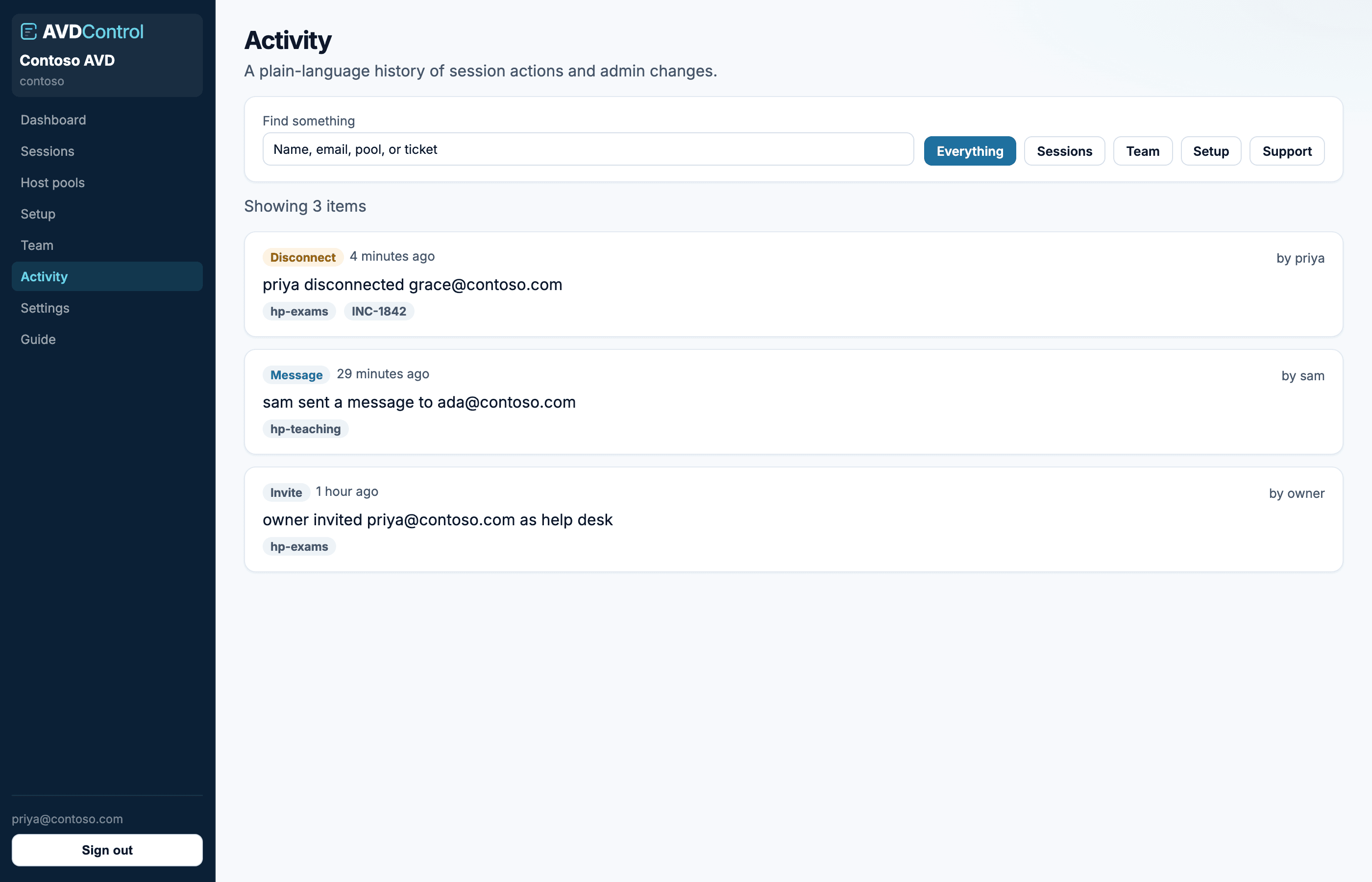
Activity is the audit log. Filter by Sessions, Team, Setup, or Support. Search for a person, pool, or ticket. Each row records who acted, who they acted on, and when.
Session rows include disconnect, message, and log off. Team covers invites and directory sync. Setup covers Azure and policies. Support appears if a platform operator impersonated a user.
Use Activity after setup changes. It confirms who configured SSO, minted or revoked SCIM tokens, mapped groups, changed policies, invited users, or performed a session action.
- 1Filter by category
Use Sessions for operator actions, Team for invites and SCIM changes, Setup for Azure, SSO, SCIM tokens, and policies, or Support for AvdControl support activity.
- 2Search
Search for an email address, user name, host pool, ticket reference, or visible action text.
- 3Check the row
Each row shows the actor, action, target, pool or role where available, and timestamp. Impersonated support activity is labelled.