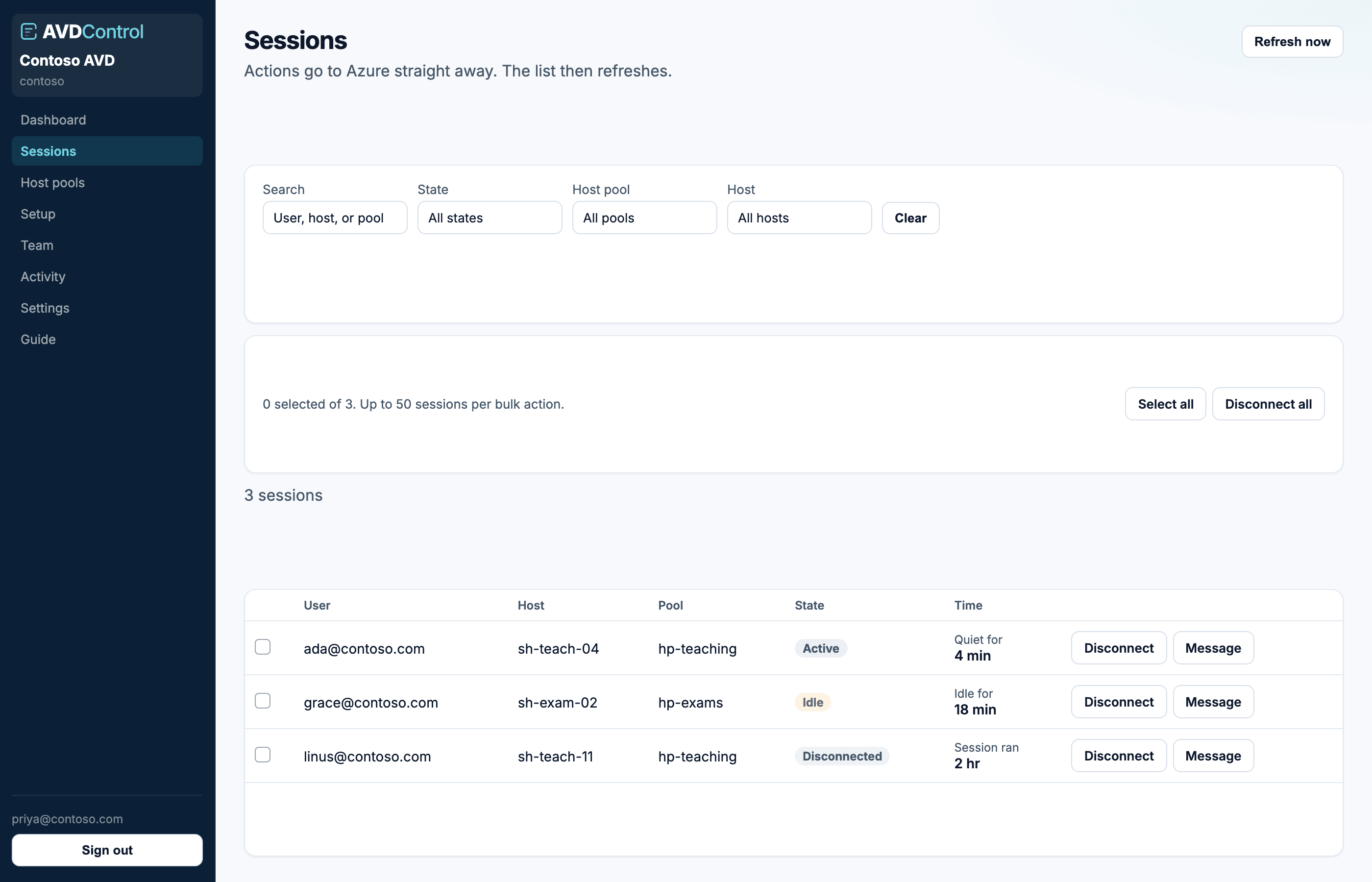
Find a user, then disconnect, message, or log off. Actions go to Azure immediately.
Find a session
Search by user, session host, or pool. Filter by state (Active, Idle, Disconnected) and by host pool. Clear resets the filters.
Time shows how long the session has been idle, quiet, or open. Refresh now pulls a new snapshot from Azure; the table then updates.
When a user cannot be found, confirm their host pool is managed, your role includes that pool, and Azure collection is healthy. AvdControl only shows current session data returned by Azure Virtual Desktop.
contoso.avdcontrol.com
Help desk can disconnect and message. Log off is reserved for session admin and above.
Actions
Disconnect ends the current connection. The user can often reconnect to the same session. Message sends text to the session. Log off closes the session after you confirm. Unsaved work can be lost.
Actions go to Azure straight away. You only see buttons for actions your role allows, and only on pools in your scope.
Use Disconnect first when the user needs to reconnect cleanly. Use Log off only when you are comfortable closing apps in the session, because Azure ends the session and unsaved work may be lost.
Bulk actions
Tick rows to act on selected sessions. If filters are active, you can also act on the filtered result set. AvdControl caps bulk disconnect and log off requests at 50 sessions at a time.
Bulk results can partially fail because Azure may reject a specific session while accepting others. The banner tells you how many succeeded and how many failed; refresh the list before retrying.
Ticket references
If ticket references are required, you must enter a ticket before disconnect, message, or log off. If they are optional, the field appears but you can leave it blank. When tickets are off, the field is hidden. Allowed prefixes (for example INC or SR-) are shown above the table when the policy is on. The value is stored on the Activity row.
If the action button stays disabled, enter a ticket value and make sure it starts with one of the allowed prefixes. Ticket checks happen before AvdControl sends the action to Azure.
When an action fails
Action failed usually means Azure no longer recognises the session snapshot, the session changed state, or the Azure app does not have enough AVD permissions. Refresh now, confirm the session is still present, then retry.
If the same action keeps failing across every pool, ask an admin to check the Azure connection and Desktop Virtualization Contributor role.