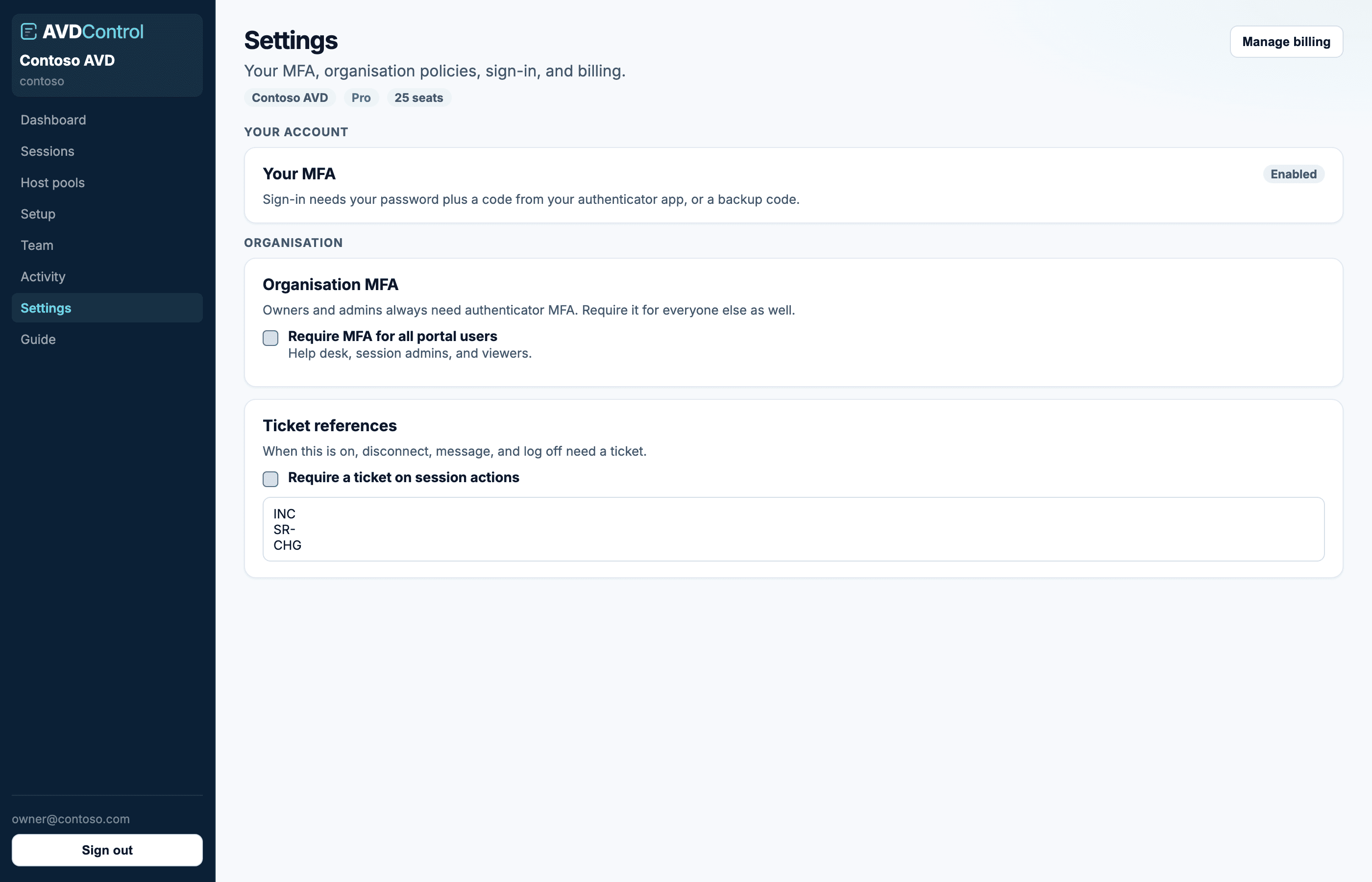
Enrol MFA, require tickets, connect Entra SSO or SCIM, and open the billing portal.
Your MFA
Everyone can enrol authenticator MFA on Settings. Owners and admins must do this before the rest of the console unlocks. Scan the QR code, confirm a six-digit code, then save the backup codes.
If you regenerate backup codes, the old backup codes stop working. Store the new codes somewhere outside AvdControl before closing the page.
1
Scan the QR code
Use Microsoft Authenticator, Google Authenticator, 1Password, or another TOTP app.
2
Enter a code
Type the current six-digit code to prove the app is enrolled.
3
Save backup codes
Backup codes are shown once and can be used when the authenticator device is unavailable.
contoso.avdcontrol.com
Owners can require MFA for every portal user and set ticket references to optional or required.
Organisation policies
Require MFA for all portal users extends authenticator MFA beyond owners and admins. Ticket references can be off, optional, or required on disconnect, message, and log off. Allowed prefixes are optional; leave them empty to accept any ticket.
Use required when operators should have a help-desk case before touching a session. Use optional when a ticket is useful but should not block the action. Add prefixes such as INC, SR, or CHG only if you want AvdControl to reject other values. Ticket emails are available in optional and required modes.
Use the Policies guide for a full rollout checklist and a simple test action before you enforce the policy across the team.
SSO, SCIM, and billing
Entra SSO needs an issuer URL, client ID, client secret, and matching redirect URI in the Entra app registration. After you save, active users can use Microsoft sign-in on your organisation URL.
SCIM provisioning uses /api/scim/v2. Mint a token once and store it in Entra or Okta. Tokens expire after 90 days and can be revoked; minting a new one replaces the active token. Map groups such as AvdControl-Helpdesk to a role and optional host pools. The token is shown once. See the SSO and SCIM guide for the full setup sequence.
Owners see plan, seats, billing email, trial, and subscription on Settings → Billing. Manage billing opens the Stripe customer portal for invoices and payment details.
When Settings is limited
During required MFA enrolment, Settings shows account security first and hides the rest until MFA is complete. If a trial has expired, owners can still see billing so they can restore access.
If a section is missing, your role probably does not include that permission. Owners and admins see organisation policies and sign-in; only owners see billing.
Help desk, session admins, and viewers do not see Settings unless the organisation requires MFA for those roles. SSO users keep using Entra MFA until an owner turns that policy on.