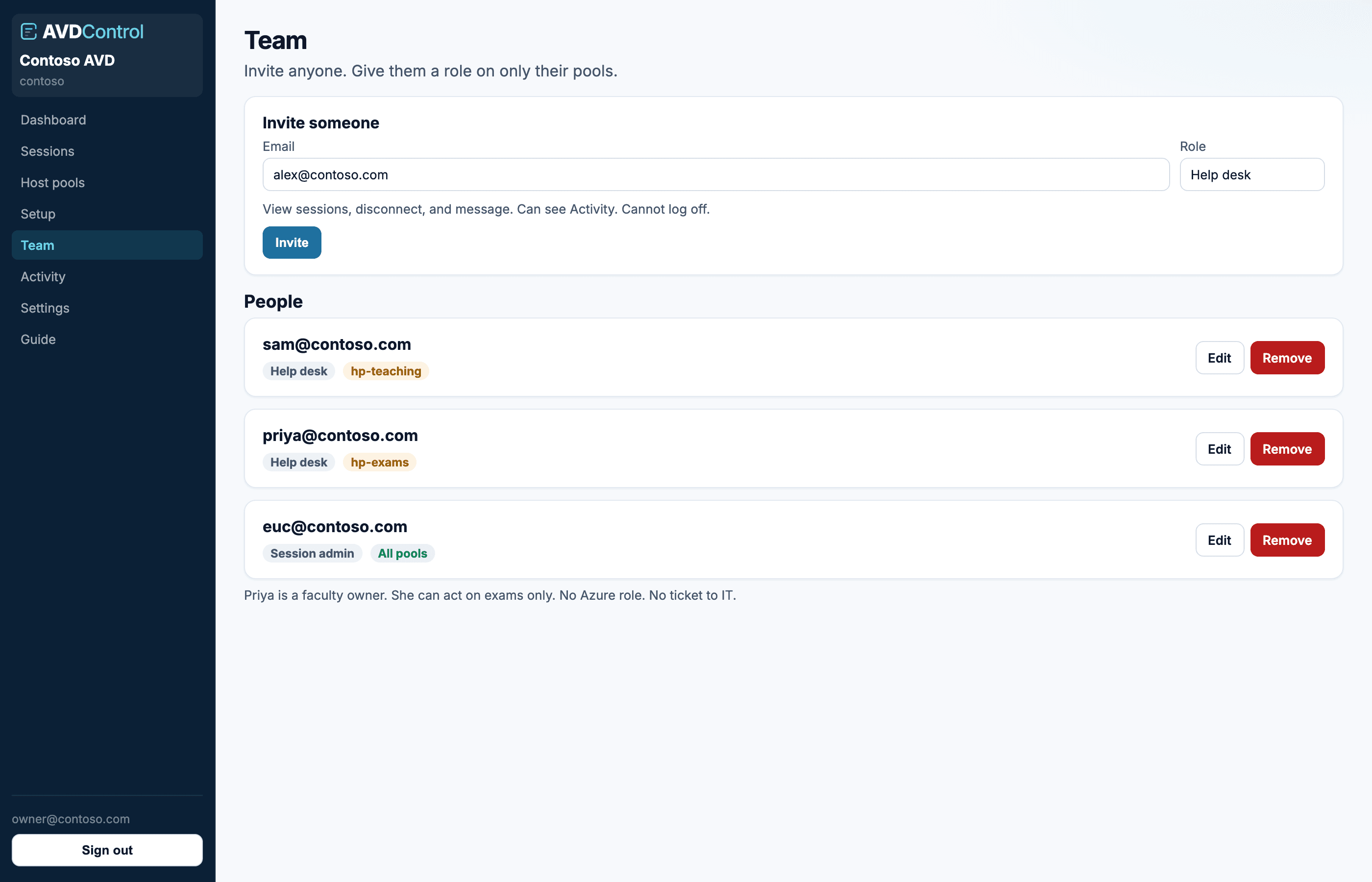
Invite people, pick a role, and optionally limit them to specific host pools.
Invite someone
Open Team, enter their email, choose a role, then optionally tick host pools. Help desk, session admin, and viewer can be limited to one or more pools. Admin and owner see the whole organisation.
They receive an invite email with a link to your organisation URL. They set a password on first sign-in unless you later turn on Entra SSO.
1
Choose the role
Use Viewer for read-only, Help desk for disconnect/message, Session admin for log off, and Admin for organisation-wide setup and settings.
2
Choose pool access
For Viewer, Help desk, and Session admin, select All host pools or Specific host pools. Specific host pools requires at least one managed pool.
3
Send the invite
The temporary password is shown once after sending. Share it through your normal secure channel if email delivery is delayed.
4
Edit later
Use Team to change role, switch between all/specific pools, add more pools, or remove a user.
contoso.avdcontrol.com
Give any person a role on any pool. Faculty can clear exams without an Azure role or a ticket.
Roles
Viewer can see sessions in scope. Help desk can disconnect, send messages, and read Activity. Session admin can also log users off. Admin handles Azure, team, and settings. Tenant owner also manages billing, SSO, and SCIM.
For least privilege, give help-desk staff Help desk on the host pools they support, give escalation staff Session admin only where they can safely log users off, and reserve Admin or Owner for people who manage Azure connections, policies, billing, or directory sync.
Manual users and directory users
Manual invites are useful for break-glass owners and small teams. SCIM is better for ongoing access because disabling the user or removing group membership in the directory flows through to AvdControl.
Keep at least one owner with a tested fallback path before changing SSO or SCIM settings. That avoids locking everyone out during an identity-provider change.
If a person is managed by SCIM, prefer changing their group membership in Entra or Okta rather than repeatedly editing the user by hand in AvdControl.